Free Change Order Form Template for Contractors (and How to Use It)
The seven fields a change order needs, a copy-ready layout, and the process around it — price before you do the work, get a dated approval, add it to the next invoice.
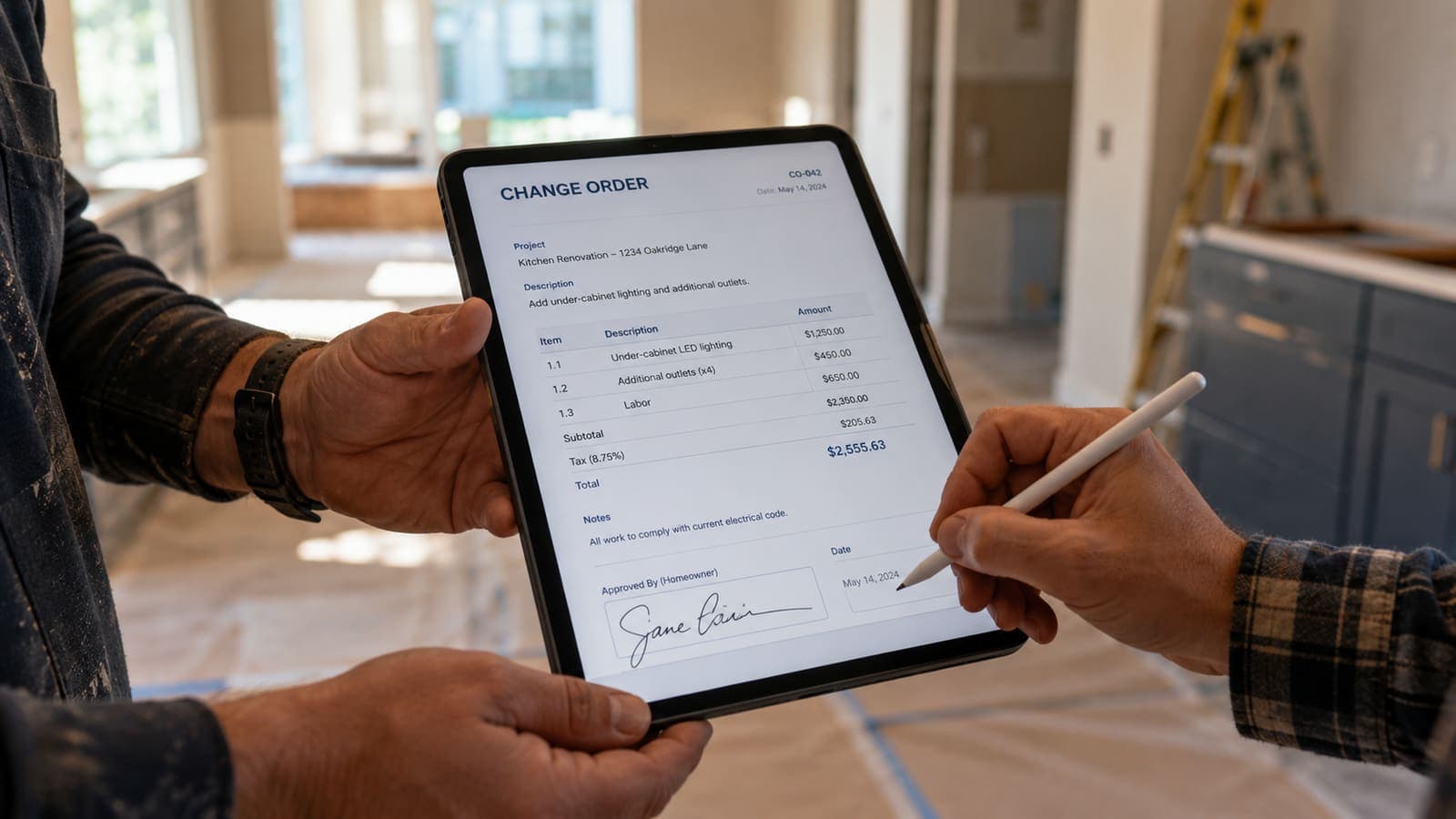
A change order is the written answer to “while you’re here, can you also…”. It takes two minutes to fill in and it is the difference between getting paid for the extra work and absorbing it. The form below is deliberately short; a change order that takes ten minutes to write does not get written on a jobsite.
The seven fields
- Change order number and date, and the estimate or contract it modifies.
- Customer name and job address.
- Description of the change: what is added, removed or substituted, in plain English.
- Reason: customer request, hidden condition (with a photo), code requirement, or design change.
- Price: line items or a lump sum, and whether it is an add or a credit.
- Schedule effect: “adds 2 days” or “no change”.
- Approval: customer name, signature or electronic approval, and the date.
The template
One page. Header with CO #, date and the estimate number. A description box, a reason line with a checkbox list (Customer request · Hidden condition · Code · Design), a small line-item table with a total and Add/Credit, a schedule-effect line, and an approval block with name, date and “Approved / Declined”. Keep a declined change order on file too — it proves the option was offered.
The process around the form
Price it before you do it. On site, when the request comes, say “let me write that up so you can see the cost” and do it on your phone before the customer walks away. Send it the same hour. Do not start the extra work until the approval is back; if the customer needs to decide, the original scope continues. When it is approved, it goes on the next invoice as its own line, with the approval date, never buried in the final.
Hidden conditions are change orders too
Rot under the siding, a corroded shutoff, a slab that is not where the plans say — these are not your fault and not the customer’s, but they are a change to the scope and they get a change order with a photo. The photo is what makes a hidden-condition change order uncontroversial.
What not to do
- Verbal approval. “They said yes” is not an approval when the invoice arrives.
- Batching changes to the end of the job. Each one is approved when it happens.
- Change orders without a price. “We’ll figure it out” is a dispute scheduled for later.
The seven fields mirror what AIA’s G701 change order records — the change in contract sum, the change in contract time and the signatures of everyone bound by it — in a form a homeowner can read on a phone.
Sources
Ready to put this into practice?
Start a free FieldsHub trial — no credit card required.
Start Free Trial